MCP client
If you build an MCP server, you want to test it like an API: connect, call tools, check the result – and keep the call as a test.1 RequestTailor’s MCP client does exactly that. Saved tests are readable files next to your collection, variables and secrets work as for requests, and rt mcp-test runs them in the pipeline.
- Edition
- Free
- Where
- MCP tab in the sidebar
- Transports
- Streamable HTTP everywhere, stdio on the Mac and in
rt - Tests
- companion files
*.mcp.yaml - Pipeline
rt mcp-test, exit code 4 on failure
Connect to a server
The MCP tab in the sidebar opens the MCP client; New connection starts a new connection.
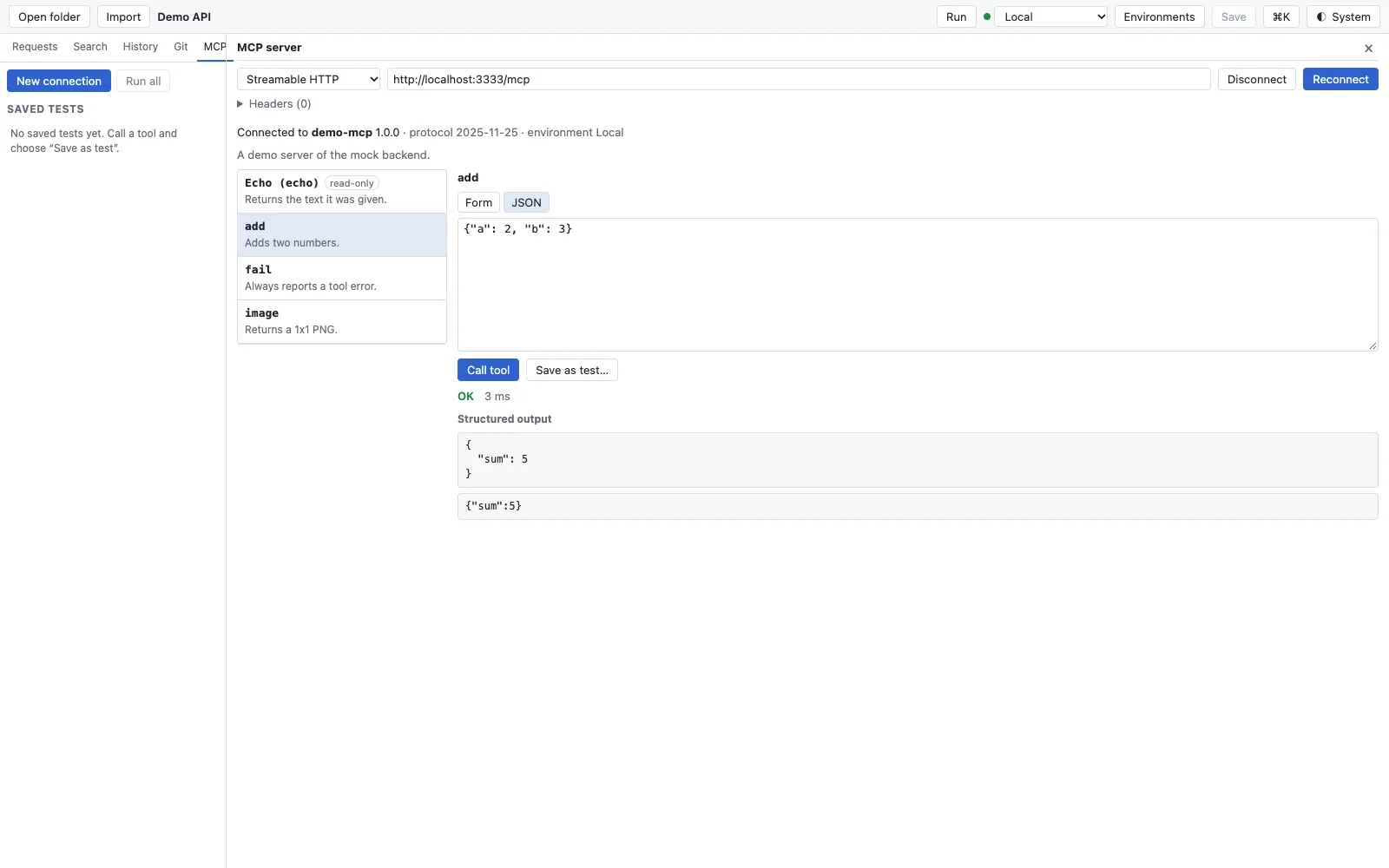
- Transport: Streamable HTTP with the Server URL (and headers, for example for a token) or stdio with Command, arguments and environment variables. stdio starts a local process and is therefore available only in the Mac app and in
rt, not in the web app. - After connecting: the server’s name and version, the negotiated protocol version and the selected environment.
- The list of Tools with descriptions; the server can mark tools as read-only.
- You enter arguments in the Form built from the tool’s input schema, or directly as JSON.
- Call tool calls the tool. The result shows status and time, the structured output and the raw content.
{{variables}} in the server address, headers, command and arguments are resolved from the selected environment. Secret values appear as *** in the result – error messages included.
Save calls as tests
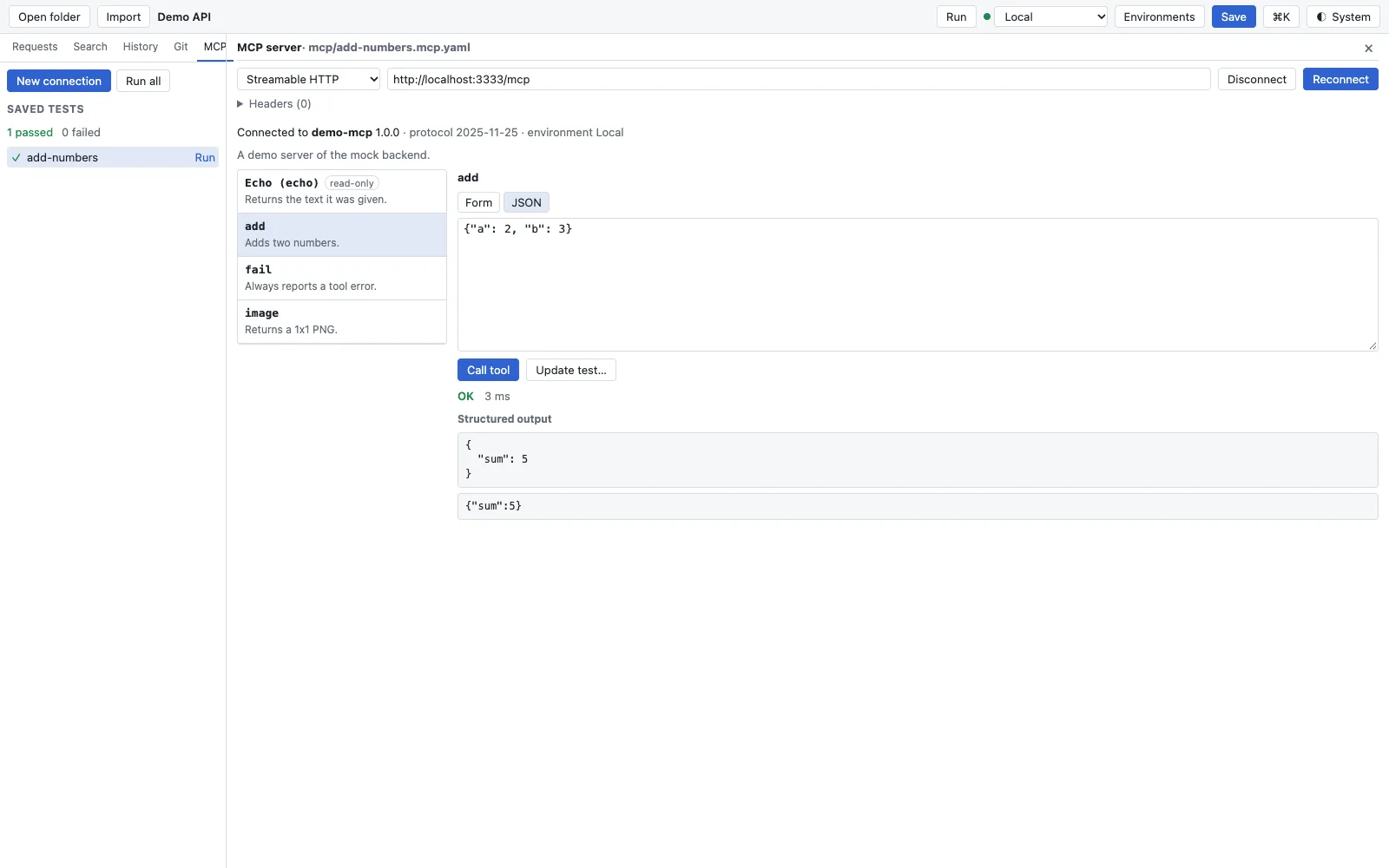
- Call the tool with the arguments you want.
- Click Save as test…, give it a name and add assertions on the result: Expression, Operator, Expected value – with the same operators as for requests.
- Save in the header writes the test file into the collection. The test appears under Saved tests; Run runs it, Run all runs all of them.
- When something changes, call the tool again and take it over with Update test….
For assertions, res.status is 200, or 500 for a tool error; res.body is the structured output, otherwise the first text. A test without assertions fails when the tool reports an error.
The test file
Each test is a companion file <name>.mcp.yaml. Because the collection reader reads only .yml files, tests never show up as requests. The file is written in a stable way, so diffs show only what changed:
name: Echo says hello
server:
  transport: http
  url: "{{mcpUrl}}"
  headers:
    - name: Authorization
      value: "Bearer {{token}}"
tool: echo
arguments:
  text: hello
assertions:
  - expression: res.body.text
    operator: eq
    value: hello
A stdio server has the fields command, args, env and optionally cwd instead of url and headers. Secret values never belong in the file, only references such as {{token}}; the app checks that before saving.
In the pipeline: rt mcp-test
rt mcp-test                         # every test of the collection you are in
rt mcp-test mcp/ -e Staging --var token=$MCP_TOKEN
Paths are test files or folders of one collection. Tests run one after the other, each with its own connection; stdio servers start in the collection folder. Output: JSON on stdout with all results, passed and failed, secrets as ***, plus one line per test on stderr.
| Exit code | Meaning |
|---|---|
| 0 | All tests passed |
| 1 | A server could not be reached or started (takes precedence) |
| 2 | Bad arguments or no tests found |
| 3 | External secrets could not be read |
| 4 | A test failed: an assertion, a tool error or an unreadable test file |
See also
- Features at a glance Features · Agents
- Docs AI agents and MCP server
- Docs Scripts, tests and runner
- Docs rt command line
- Sources rt-app/src/mcp_client.rs1