Git
Because every request is a file, Git is the natural way to share and review collections. The Git sidebar shows what changed and commits without a staging area: pick the files, write a message, done. Before every commit a scanner checks whether credentials are typed into the files in plain text.
- Edition
- Free
- Where
- Git sidebar or Show Git in the command palette
- Commit
- without a staging area: pick files, message, Commit
- Mac app
- Git built in (gitoxide)
- Web app
- isomorphic-git; network via
rt agent
View changes
The Git sidebar shows the branch at the top and whether it matches the remote, the changed files below. Click a file to open its diff.
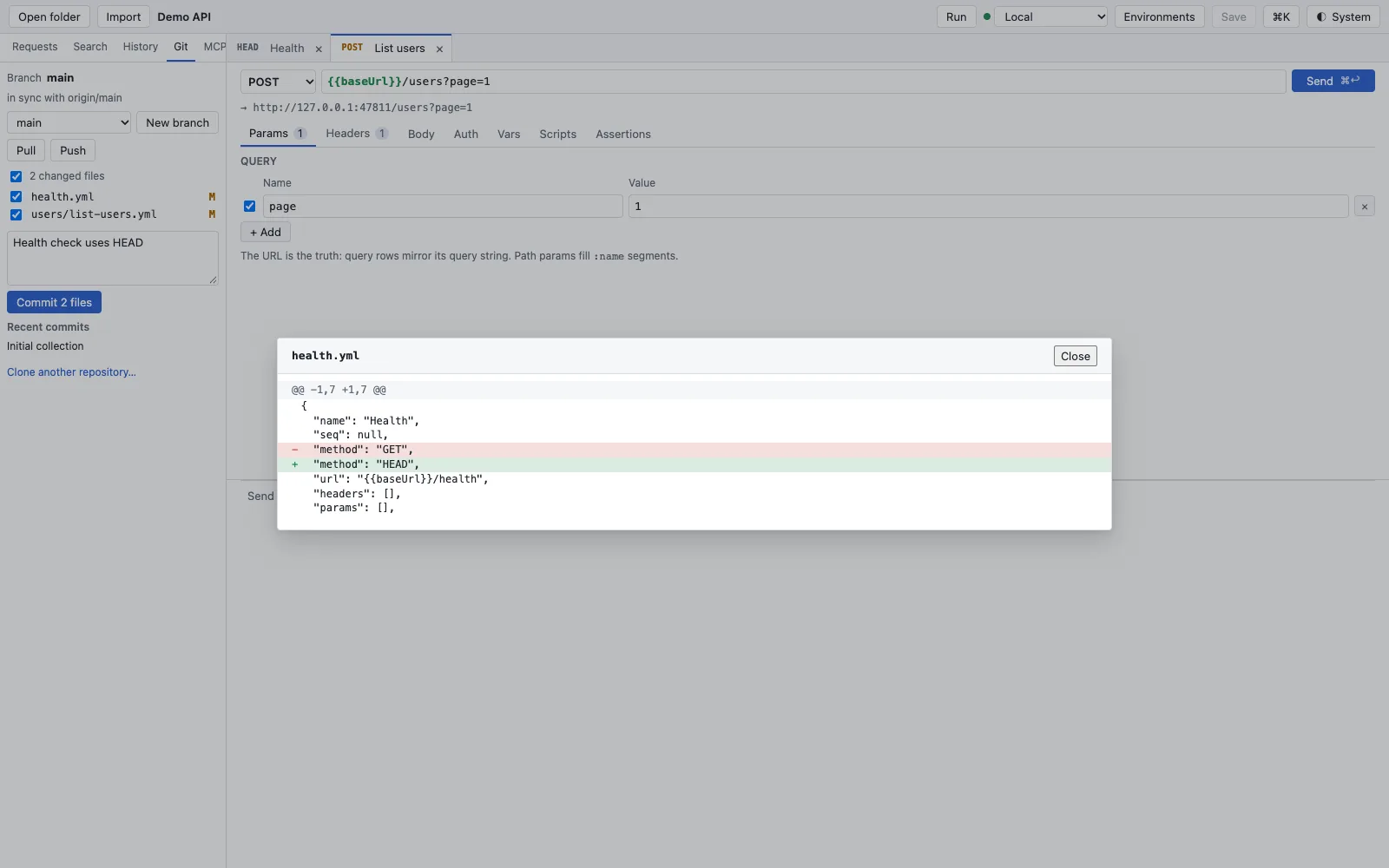
- Branch and its state against the remote, for example in sync with origin/main.
- Switch branch, New branch, Pull and Push.
- The changed files with checkboxes; M means modified.
- The diff shows exactly the changed line.
Because RequestTailor writes unchanged parts byte-identically1, the diff contains only what you really changed – no reordered fields, no new blank lines.
Commit without a staging area
- Save your changes with Mod+S.
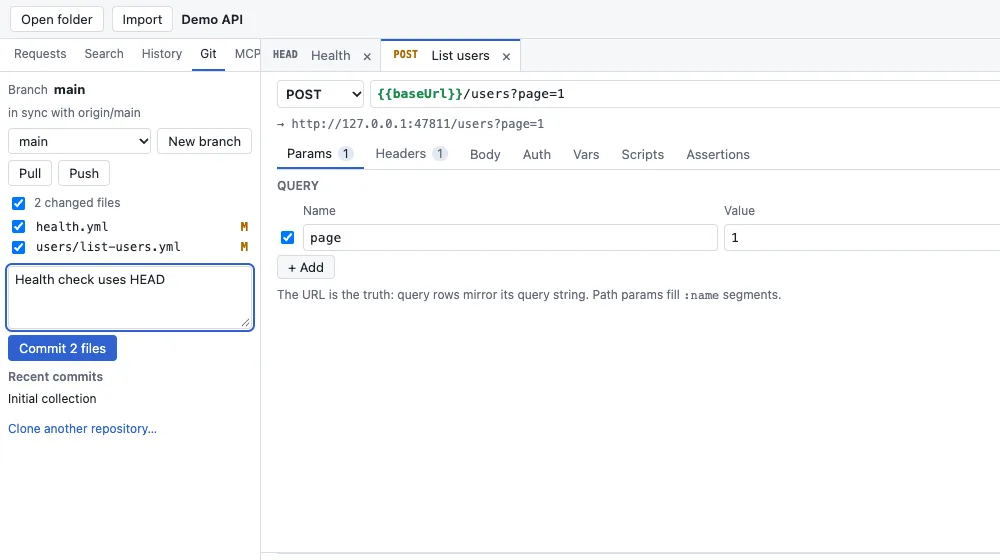
- In the Git sidebar, tick the files that go into the commit.
- Write a commit message.
- Click Commit; the button names the number of files, for example Commit 2 files. The new commit appears under Recent commits.
- Send it to the remote with Push.
There is no staging area2: what is ticked goes into the commit. If you want finer control over Git, use any other Git tool on the same folder; RequestTailor simply reads the files.
Secret scanner
Before every commit from the app, RequestTailor looks for credentials in the files3: known token formats, private keys, Bearer and Basic credentials, passwords in URLs and values of fields that look like credentials. With findings, the app refuses the commit and names file and line. Variables, masks such as *** and placeholders are not findings.
The fix is almost always a secret variable (secret variables). If a line really is not a credential, mark it with the comment # rt-scan:allow; rt-scan:allow-next-line on its own line applies to the next one. For pipelines and Git hooks the same scanner exists as rt scan (rt scan).
Branches, pull and push
In the menu below the branch you switch branches; New branch creates one. Pull fetches and merges, Push sends your commits. Anything that changes working files – switching branches, pulling, resolving a conflict – is refused while there are unsaved changes; save first. Afterwards the app reads the folder again.
If the collection is not in a repository yet, the sidebar offers Initialize repository; Clone another repository… clones a repository into a new folder.
Resolve conflicts
If a pull leads to conflicts, the sidebar marks the affected files. For each file you choose a side: Use ours (this branch) or Use theirs (incoming). Or you fix the file by hand, save and commit again; the commit completes the merge.
In the web app
The web app uses Git in the browser (isomorphic-git). Commit, branches and diff run locally; pull and push need the network to reach the remote and therefore go through the rt agent companion (Companion rt agent).
See also
- Features at a glance Features · dateien
- Docs Collections as files
- Docs Environments and variables
- Docs rt command line
- Docs Companion rt agent
- Sources Git2 · Secret scanner3