Sending requests
Request at the top, response below. You edit method, URL, parameters, headers, body and auth, send with Mod+Enter and see status, time, size, headers, tests and the formatted body. Large responses stay in the core; the interface loads only the lines you are looking at.
- Edition
- Free
- Send
- Mod+Enter or Send
- Request tabs
- Params, Headers, Body, Auth, Vars, Scripts, Assertions
- Response tabs
- Body, Headers, Tests, Console, Timing
- Views
- Pretty, Raw, Tree, Hex
The request
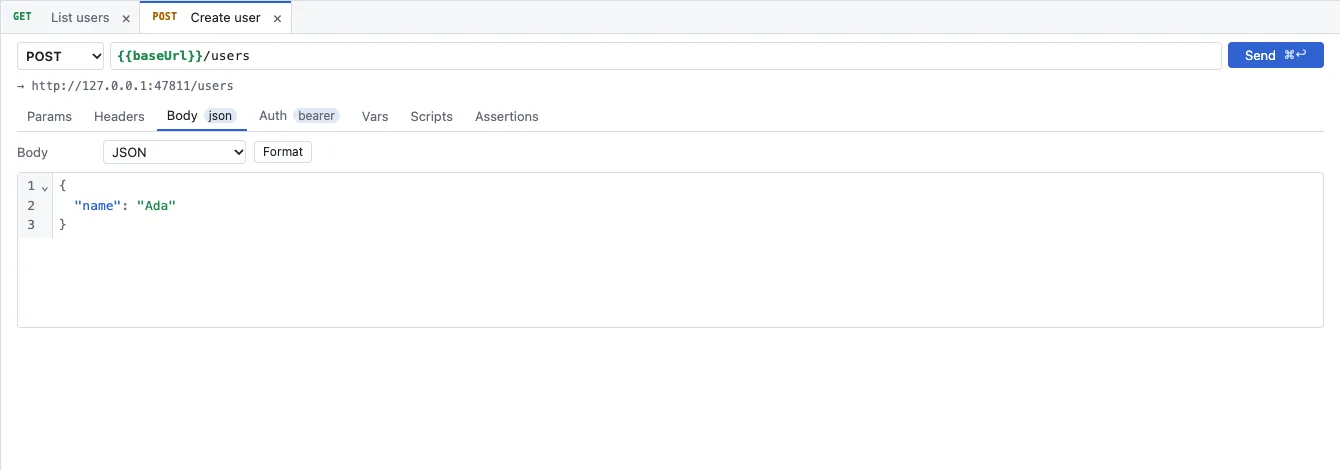
- Method and URL. Variables such as
{{baseUrl}}are highlighted; the resolved address is shown below. - Send with its shortcut next to it.
- The tabs Params, Headers, Body, Auth, Vars, Scripts and Assertions. Small badges show what is set, such as json or bearer.
- Under Body you choose the kind (for example JSON); Format indents it (Shift+Alt+F).
The URL is the truth for the query string: the rows under Params mirror it, path parameters fill segments such as :id. How authentication works is in Authentication; scripts and assertions in Scripts, tests and runner.
Send
- Choose the environment at the top right.
- Open the request in the Requests sidebar.
- Press Mod+Enter or click Send.
- The response appears below the request. Unsaved changes are sent too; they are saved only with Mod+S.
When sending, the core prepares the request – variables, inherited settings, auth, body –, fetches a token for OAuth 2.0, runs active plugins and scripts and sends it over the wire. The report of the send is the same everywhere: in the app, in the web app and as JSON from rt send. Secret values appear in it only as ***1.
The response
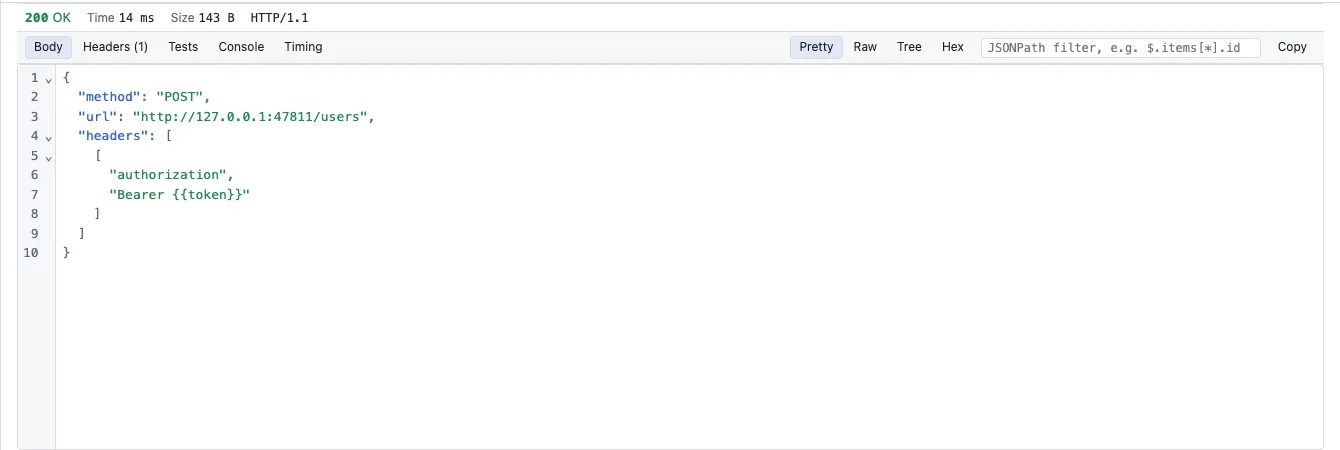
- Status line: status, Time, Size and HTTP version.
- Tabs Body, Headers, Tests, Console (script output) and Timing.
- Body views: Pretty (formatted and foldable), Raw, Tree and Hex.
- A JSONPath filter such as
$.items[*].idshows only the matching parts; Copy copies the body.
Large responses
Large responses stay on the Rust side2 in a response store; the interface fetches only the lines on screen. That a 100 MB response renders and scrolls without stutter is one of the performance budgets3 that every build measures.
History and cookies
History in the sidebar lists the requests you sent with name, method, masked URL, status and time. The history keeps no bodies and no header values. Cookies set by responses are kept per collection and environment and sent again; Show cookies… in the command palette shows them. Cookie values are masked in the report.
Typical problems
| What you see | What helps |
|---|---|
A variable stays in the URL as {{name}} | It has no value in any layer. Check the environment; the report lists such placeholders under unresolved (Environments and variables). |
| The web app says the browser blocked the request | The server sends no CORS headers. Start and pair the rt agent companion (Companion rt agent). |
| TLS error with a client certificate in the web app | Browsers do not present client certificates for web pages. Use the Mac app or rt. |
See also
- Features at a glance Features · senden
- Docs Environments and variables
- Docs Authentication
- Docs Scripts, tests and runner
- Docs rt command line
- Sources Response store2 · Budgets3