Authentication
In the Auth tab you set how a request identifies itself – for the request itself or inherited from folder and collection. RequestTailor fetches OAuth 2.0 tokens itself, refreshes them and keeps them like secrets: in the keychain or encrypted in the browser, never in the collection files.
- Edition
- Free
- Kinds
- Inherit, No auth, Basic, Bearer token, API key, OAuth 2.0, AWS Signature V4
- OAuth 2.0 flows
- client credentials, password, authorization code with PKCE, device code, SAML 2.0 bearer
- Tokens
- keychain or encrypted in the browser
- Certificates
- PEM, PKCS#12 (Mac app, rt)
The kinds
| Choice | What it does |
|---|---|
| Inherit | Takes the auth of the folder or collection (auth: inherit in the file). |
| No auth | Sends without authentication. |
| Basic | User and password as Authorization: Basic. |
| Bearer token | A token as Authorization: Bearer. |
| API key | A key as a header or query parameter. |
| OAuth 2.0 | Fetches and renews tokens itself, see below. |
| AWS Signature V4 | Signs the request for AWS services. |
Passwords, tokens and keys belong in secret variables: you write {{token}} into the field and the value lives in the keychain (secret variables). If a credential is typed into a file in plain text, the secret scanner refuses the commit.
OAuth 2.0
RequestTailor supports the flows client credentials, password, authorization code with PKCE, device code and SAML 2.0 bearer1; implicit is read only. OpenCollection does not know device code and SAML 2.0 bearer – they work only as the collection default and are kept in the extensions section of opencollection.yml.
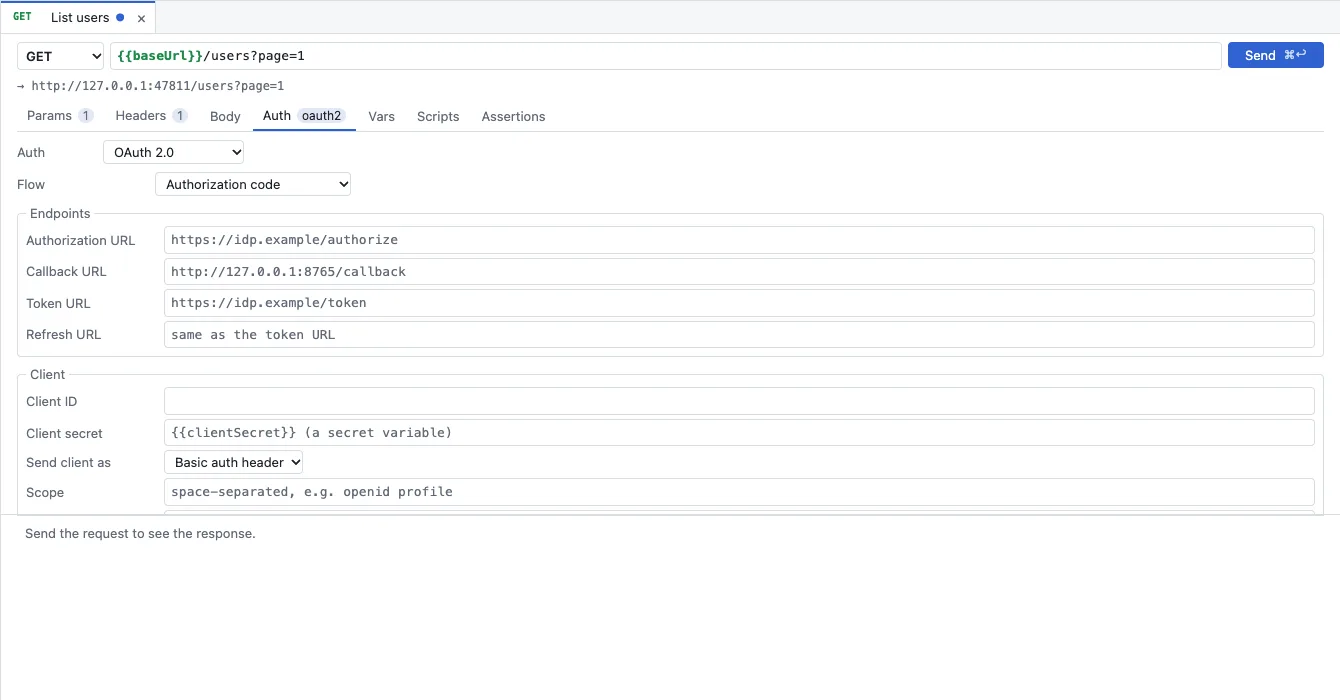
- Auth set to OAuth 2.0, the Flow below.
- Endpoints: Authorization URL, Callback URL, Token URL and optionally Refresh URL.
- Client: Client ID, Client secret (as a secret variable), Send client as and Scope.
- Open the request, folder or collection and choose OAuth 2.0 in the Auth tab.
- Choose Authorization code as the Flow and enter the identity provider’s endpoints.
- Enter the client ID; the client secret as a secret variable such as
{{clientSecret}}. Leave PKCE at S256 (recommended). - Under Token, set which token goes where – for example Access token into the Authorization header with the prefix
Bearer. - Send. If there is no token yet, RequestTailor opens the sign-in in the browser; after that it fetches and renews tokens itself as long as Fetch a token automatically and Refresh an expired token are ticked.
View and delete tokens
Get new token fetches a new token right away, Tokens… shows the stored ones.
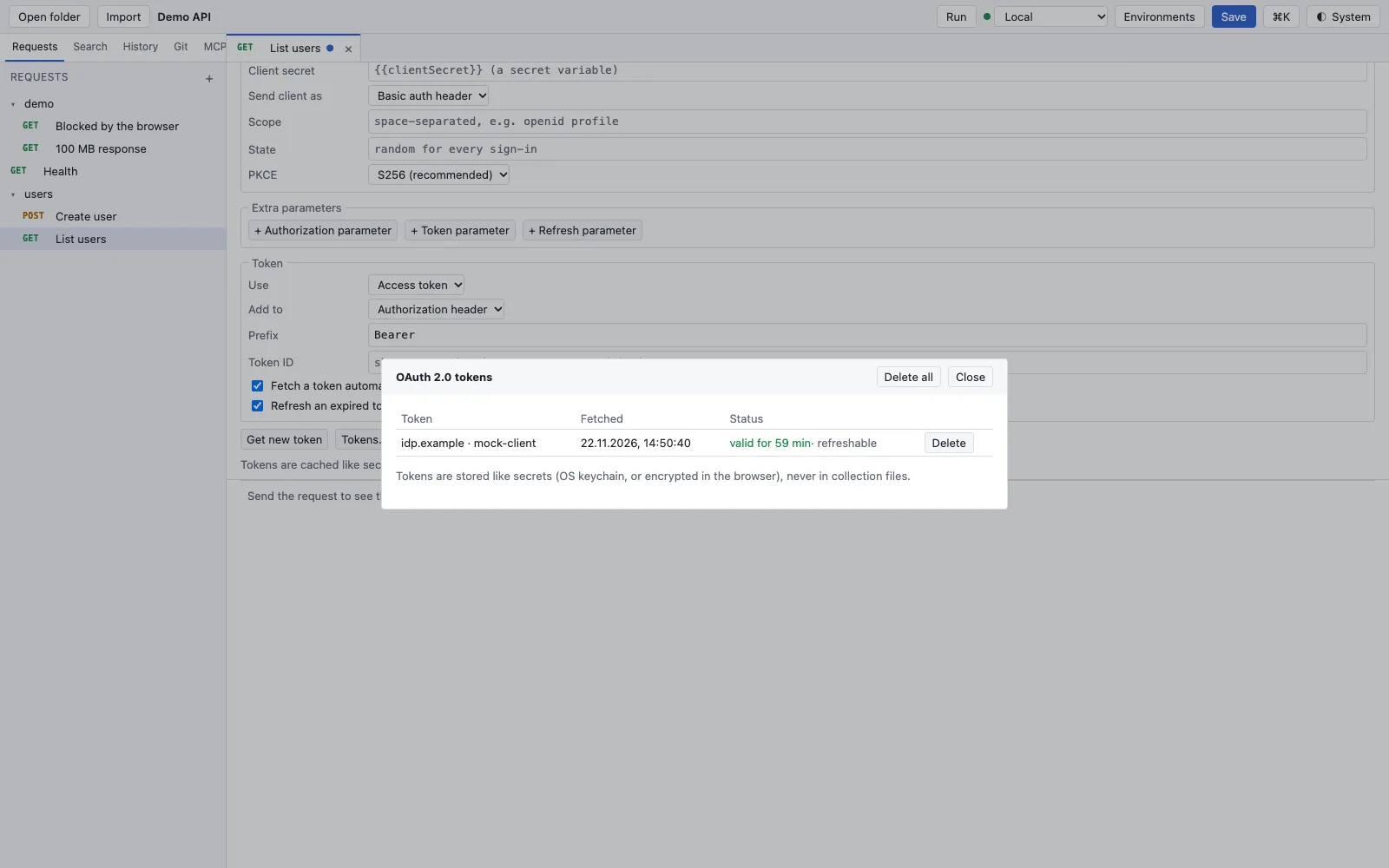
The interface sees only a token’s provider, time, validity and whether it can be refreshed. Tokens are stored like secrets2: in the operating system’s keychain – the Mac app and rt share the entries – or encrypted in the browser, never in collection files. Every token is masked in a request’s report.
AWS Signature V4
With AWS Signature V4, RequestTailor signs the finished request for AWS services. The signature is checked against AWS’s official test vectors. Keys belong in secret variables; they are masked in the report. The signature is made after the OAuth token and after the plugins, so it covers the request as it goes on the wire.
In a pipeline
rt send and rt run use the same auth. With --no-prompt, a flow that needs a person (browser sign-in, device code) fails instead of waiting – right for pipelines. Client credentials run without a person; pass the secret with --var clientSecret="$CLIENT_SECRET".
See also
- Features at a glance Features · senden
- Docs Environments and variables
- Docs Sending requests
- Docs rt command line
- Sources Auth1 · Token storage2